
Laatste update: 02/11/2026
Your footprint is always calculated per full year. Twelve months, no more and no less, because otherwise you can’t compare yourself with other accommodations.
Where to find it
- Open your accommodation and go to the Years tab.
- Click on + New year at the top right.
- Choose the year and fill in your occupancy.
Why per year
Consumption fluctuates significantly throughout the year: heating in winter, cooling and more guests in summer. Only a full year provides a meaningful figure, and it’s the only way to compare two years side by side.
Adding a year
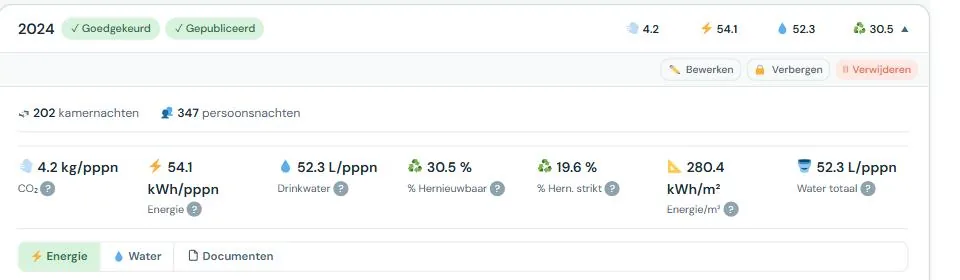
In the footprint screen, you’ll find the Years tab. There you’ll find the button to add a new reporting year. You choose the year and fill in your occupancy; the rest follows after that.
A non-calendar year
The reporting period doesn’t have to be a calendar year. If your financial year runs from April to March, or if your billing aligns better with another period, that’s possible. The condition remains twelve months.
Choose a period once and stick to it. If you shift it later, you’ll be comparing apples to oranges, both with yourself and with the benchmark.
Multiple years side by side
You can create as many years as you have data for. The more years, the more meaningful your evolution. Two years is the minimum to see a trend; three or more makes it clear if a change is lasting.
If you use EnergyID, Retrieve data will automatically create the years for which EnergyID has figures, starting from the oldest year you already have. If you want to go further back, first create the oldest year you want and then click Retrieve data. See Automatic filling via EnergyID.
Deleting a year
Deleting is possible, but think first. Documents that were only attached to that year and aren’t referenced anywhere else will disappear too. Documents that are also linked elsewhere will remain.
If the year was published, it will also disappear from the benchmark. This has consequences for the comparison group of other operators, so only do it if it’s really necessary.

