
Laatste update: 02/11/2026
Every change to your accommodation is tracked. This is handy if you’re wondering when something changed, or who did it.
Where to find it
- Open your accommodation and click on the History tab.
- At the top, there’s a field to add a note yourself.
- Below that is the list of what has been automatically tracked, including the date and name.
What is being tracked
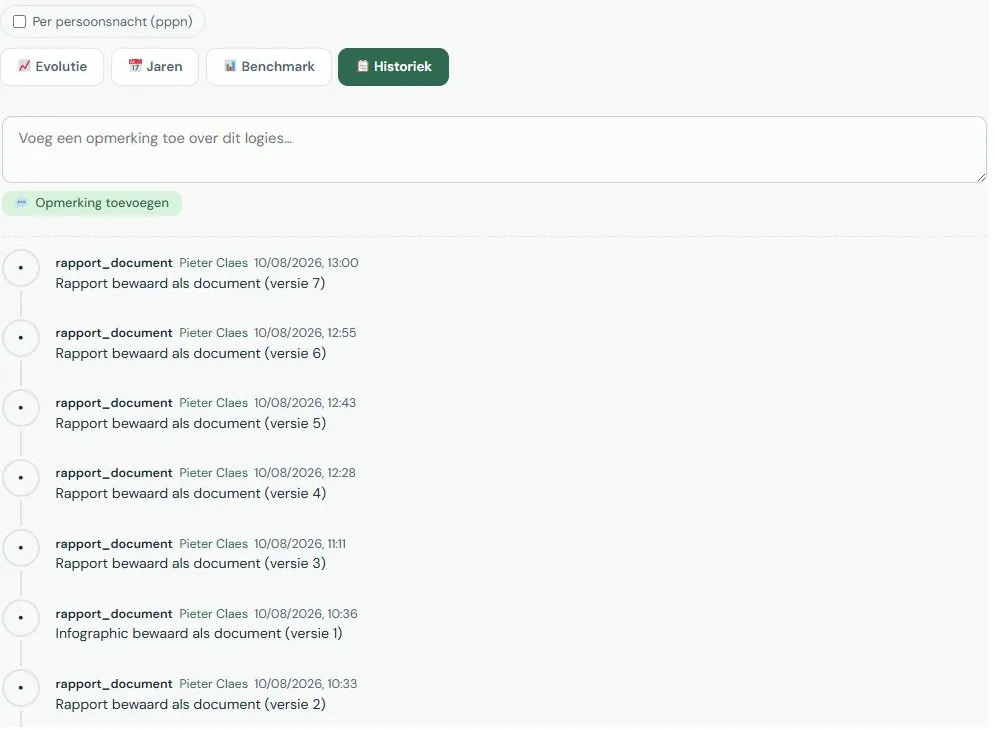
Changes to your accommodation details, created and deleted years, publishing and unpublishing, data automatically retrieved from EnergyID, linked and unlinked meters, and documents that have been added or replaced.
Each line shows when it happened and by whom. If you share your accommodation with someone else, you’ll also see what that person did.
Adding a note
You can add a note to the history yourself. This is useful for recording something you might forget later: why a figure differs, what assumption you made for an estimate, or that the boiler was replaced in March.
A note about an unusual figure can save you half an hour of searching next year. Especially if someone else is reviewing it.
Who sees the history
You and the users you share the accommodation with. The history is never included in the benchmark and is not visible to other operators.

